
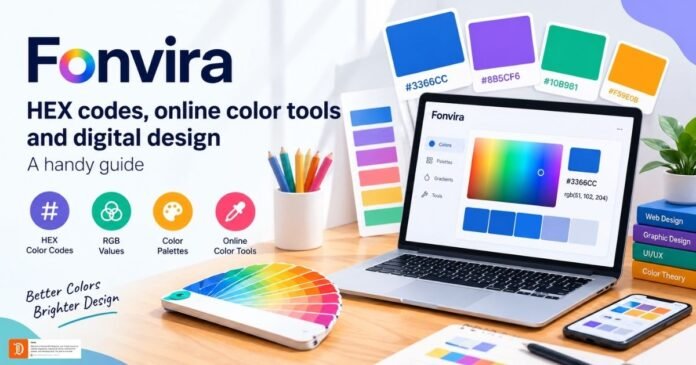

Choosing the right colors can really change the look and feel of a website, graphic or digital project. A good color scheme can make content more readable, highlight important information and create a consistent identity for a brand. For those who regularly work with digital visuals, a simple way to explore colors and understand their codes can save both time and effort. This is where Fonvira becomes an interesting topic for anyone exploring online colour tools.
Fonvira is associated with the concept of working with digital colors through a browser-based experience. These color tools can assist users in finding shades, learning about HEX and RGB values, and picking colors for websites, social media graphics, presentations and more creative projects.They can also be useful for beginners who want to play around with colors but don’t want to learn complicated design software first.
But knowing what a color tool is supposed to do is only half the story. How useful it is depends on what features it actually provides, how easy it is to use and whether it fits into an existing workflow.In this guide, we discuss Fonvira, the importance of online color tools, how they are used in the real world, and what we should remember before choosing one to use consistently in our designs.
What is Fonvira and its relation to Digital Color Design?
Fonvira is a name that might catch the eye of users looking for simple digital design resources. So, if you are looking at a tool with this name, you should differentiate between what it’s supposed to do and what has been independently verified.Detailed and reliable information on its full functionality is not established here. Check the official website for specific capabilities before relying on them.
Digital color tools normally help users identify, compare and reuse colors through standardized values.A designer doesn’t have to choose a shade by eye, but can use an exact code and reproduce the same color in different elements of a project.
This is especially useful when a website needs consistent button colors, matching backgrounds, or readable text. A slight change of color can change the look of a page, especially when there are several visuals on the page.
It can also be easier for a beginner to select colors using an online tool that is easy to use.Rather than beginning with professional design software, users can learn the basics of color and gradually get a better sense of how different shades work together.
Basic Color Theory That All Users Should Know
Before bringing Fonvira into your creative workflow, it’s useful to familiarize yourself with the color formats commonly found in digital design.These formats help designers and developers specify colors precisely instead of using vague descriptions like light blue or dark green.
Hex Color Codes
Hex codes are commonly employed in web design and digital graphics. They begin with a hash symbol followed by six hexadecimal characters, such as #3366CC, which represents a shade of blue.
HEX values are a convenient way to define a color in CSS and many design applications.If a website uses a certain blue for its headings, the same code can be used on buttons, links, or anything else that needs to be the same.
HEX codes are also used by designers to document brand colors. Keeping a record of these values makes it easier to maintain a consistent appearance when updating pages or creating new graphics.
RGB Color Values
RGB stands for red, green and blue. This colour model represents colours by combining different intensities of these three components, generally using values between 0 and 255.
For example, rgb(51, 102, 204) is the same blue as HEX code #3366CC. Although the formats look different, they describe the same colour.
RGB values are useful for web design, image editing and other digital applications. Understanding the relationship between RGB and HEX makes it easier to move between tools that use different colour formats.
Contrast and color palettes
A color palette is a group of colors that work well together. A simple website palette might include a primary colour, a secondary colour, a background shade, and a contrasting accent.
Contrast is just as important. Text should remain easy to read against its background, and important buttons should stand out without making the page look cluttered.
When choosing colors for a website or graphic it’s worth checking both appearance and accessibility.The Web Content Accessibility Guidelines offer useful contrast guidelines to help make text easier to read, including for people with visual impairments.
Practical Uses of Online Colour Tools
Online colour tools can support a wide range of creative tasks. Their value often comes from making small but frequent design decisions easier to manage.
Website Design and Development
Web developers need accurate colour values when styling headings, navigation menus, links, forms, and buttons. A consistent color palette can give a site a more professional look, and help visitors to recognize important interface elements.
When testing a color scheme developers should also consider how it looks on different screens. A shade that looks attractive on one display may appear slightly different on another.
Social Media & Blogging Visuals
Bloggers and content creators often get ready featured images, promotional banners, and social media posts. Using a consistent set of colours helps create a recognisable visual style across these materials.
For example, a publication could have dark blue headings, white backgrounds and a bright accent color for highlights. Reusing those shades can make its graphics feel connected even when the subjects differ.
Creative & Brand Projects
Consistent colors can be a good thing for small businesses, freelancers and independent creators. Brand colours may appear on websites, presentation slides, digital advertisements, and marketing materials.
Instead of trying to re-create colors from memory, you’ll have a saved list of color codes. It also makes collaboration easier when several people work on the same project.
A browser-based color resource may help with these tasks, but users should check what functions Fonvira actually offers before treating it as a complete design solution.
Benefits, Drawbacks, and Safety Considerations
Convenience is the main attraction of an online color tool.Browser-based tools are often easier to access than launching a full-blown design app, especially if you just want to check out a color value or experiment with a few shades.
They can also be a useful starting point for those learning about digital design.You don’t have to be a tech whiz to learn about HEX codes, RGB values, palettes, and contrast, but it can make you a better designer in your day-to-day work.
However, not all color tools have the same capabilities. Some have palette generators or color pickers or accessibility checks or converters, while others have a more limited feature set.Such features are not to be taken for granted of Fonvira without verification.
Practical issues also exist. Users should expect the website to clearly describe its features, to work properly on their devices, and to provide any privacy information that applies.When a tool asks for personal details, account credentials, or sensitive information it doesn’t need, it’s a good time to stop and think about why it’s asking for that information.
For professional projects, it’s wise to keep important HEX and RGB values in a separate design document. This simple habit protects against losing a preferred colour scheme if an online service changes or becomes unavailable.
Conclusion
Fonvira is a topic worth examining for anyone interested in accessible colour resources and digital design. Understanding HEX codes, RGB values, colour palettes, and contrast can help users make better choices for websites, graphics, and branding projects.
The most important step before relying on Fonvira for specific tasks is to verify its real features. A good color tool should be simple, reliable and suitable for the work in hand.By combining good design decisions with correct color values, users can create digital material that seems consistent, professional and easy to use.
read: Wenrath Meaning, Location, History, and Relation to Wehnrath, Germany
Frequently Asked Questions
What is Fonvira?
Fonvira is a name associated with online searches for a digital colour resource. To confirm its exact features and intended functions, you should visit its official website for reliable information.
What is a HEX colour code?
A HEX color code is a six-digit hexadecimal number, usually preceded by a hash symbol, that identifies a color in digital design. An example is #3366CC.
What does RGB mean in digital design?
RGB – red, green, blue.It gives numbers to describe colors by representing the intensity of each component.
Can online colour tools help with website design?
Yes.These online color tools can help you choose shades, work with color codes and keep a consistent visual style across your website elements.
Are HEX and RGB codes interchangeable?
They represent colors in different formats. There are many tools to convert between them. However, the conversion should be performed accurately to preserve the intended colour.
Is Fonvira suitable for beginners?
Suitability depends on the features, ease of use of the actual service. Beginners should check the available functions and instructions before choosing it for a project.
What should users check before using Fonvira?
Users should check the website’s identity, what features are available, privacy information and if it will meet their needs. They should avoid providing sensitive information unless there is a clear and legitimate reason.
Why is colour consistency important for digital content?
Consistent colors make websites and graphics look organized and recognizable. They can also strengthen brand identity and improve the clarity of important visual elements.